Compliance Built Around Desktop Accounting Workflows
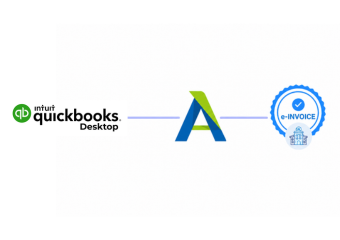
How QuickBooks Desktop Reaches ZATCA
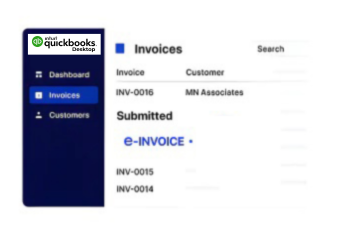
- QuickBooks Source Connection: QuickBooks Desktop invoice information enters Advintek through a dedicated integration layer for compliant processing.
- Invoice Information Review: Relevant accounting fields are reviewed carefully before documents proceed through specialized compliance processing workflows.
- Structured Data Transformation: Source information is transformed into structured data suitable for required Saudi electronic invoicing workflows.
- Compliance Workflow Routing: Prepared documents follow appropriate routes based on applicable Saudi invoice classifications and regulatory requirements.
- Fatoora Workflow Preparation: Invoice information is prepared for workflows directly connected with the applicable ZATCA Fatoora environment.
- Processing Response Tracking: Processing responses are captured for clearer operational oversight across connected accounting and compliance operations.
What Advintek Adds Around QuickBooks Desktop
Advintek extends QuickBooks Desktop with Saudi-focused compliance capabilities, connecting accounting information with structured validation and electronic invoicing processes.
- Structures QuickBooks Desktop data for Saudi compliance
- Checks invoice information before downstream processing
- Supports connected ZATCA electronic invoicing workflows
- Processes related credit and debit notes
Greater Control Across Desktop Invoicing
- Connected Accounting Operations: QuickBooks Desktop accounting activity connects with compliance processes without duplicating invoice preparation or processing tasks.
- Consistent Invoice Data: Automated checks help maintain consistent invoice information across accounting and e-invoicing compliance workflows.
- Improved Process Visibility: Teams gain clearer visibility into document progress through connected compliance processing operations and overall status.
- Early Issue Detection: Potential data issues are identified earlier before affecting downstream electronic invoicing activities and processes significantly.
- Standardized Document Handling: Standardized processing supports consistent handling of recurring invoices created through QuickBooks Desktop accounting workflows.
- Continuous Accounting Operations: Finance teams continue familiar accounting activities while Advintek manages specialized Saudi Arabia compliance processes and requirements effectively.
Saudi Arabia Invoice Tools for QuickBooks Desktop
Invoice Activity Monitoring
Monitor invoice activity and identify records requiring review across connected accounting compliance workflows.
Compliance Reporting Insights
Organize processing information to support reconciliation, oversight, and Saudi e-invoicing administration systems.
Workflow Exception Management
Identify incomplete invoice information before documents advance through later compliance processing stages automatically.
QuickBooks Desktop Support for Saudi Arabia Businesses
Advintek connects QuickBooks Desktop accounting operations with Saudi e-invoicing requirements for organizations managing services, trading, subscriptions, and professional activities.
- Review processed transactions through centralized workflows
- Create invoices through QuickBooks Desktop workflows
- Connect accounting records with Saudi compliance
- Manage recurring invoice information with consistency
Modernize Your Saudi Invoicing Workflow
Connect QuickBooks Desktop with Saudi Arabia e-invoicing through Advintek today.
Start ZATCA-ready invoice processing with confidence.
Ready e-Invoice System
Frequently Asked Questions QuickBooks Desktop e-Invoicing Saudi Arabia
Can QuickBooks Desktop support Saudi e-invoicing integration?
QuickBooks Desktop can remain the accounting environment where businesses prepare their invoices while Advintek provides a specialized Saudi Arabia e-invoicing integration layer. Relevant invoice information can be captured, checked, structured, and processed through connected compliance workflows. This allows finance teams to continue familiar desktop accounting activities while dedicated electronic invoicing functions operate around the existing QuickBooks environment.
How does Advintek process QuickBooks Desktop invoice data?
Advintek receives relevant information from QuickBooks Desktop and applies a structured processing workflow before the data continues through applicable Saudi Arabia e-invoicing activities. Invoice fields can be reviewed for completeness, organized into structured information, and prepared for the required compliance process. Processing responses can also be captured to provide greater visibility across accounting operations.
Which QuickBooks Desktop records can enter Saudi Arabia workflows?
Relevant QuickBooks Desktop records can include invoice information, customer and supplier details, transaction information, tax-related fields, document references, and adjustment data. Advintek uses available accounting information to support the applicable Saudi e-invoicing workflow. This creates a connected route between desktop accounting records and the structured electronic information required for compliant invoice processing.
Can QuickBooks Desktop handle credit notes through Advintek?
Credit note information created or maintained within QuickBooks Desktop can be incorporated into the connected Saudi Arabia e-invoicing workflow. Advintek can process the associated adjustment information, apply relevant validation checks, and prepare the document for the appropriate compliance route. This helps finance teams manage invoice corrections alongside their existing accounting records instead of creating separate manual compliance processes.
How does QuickBooks Desktop connect with Fatoora?
Advintek provides an integration layer that can connect QuickBooks Desktop invoice information with workflows associated with the ZATCA Fatoora environment. ZATCA requires applicable e-invoicing solutions to follow its technical and security requirements, with integration requirements applying to targeted taxpayers. Advintek helps prepare relevant QuickBooks Desktop information for the applicable structured processing and integration workflow.